

Dehancer is a film emulation tool designed to reproduce the behavior of analog photographic and motion picture film in digital workflows. Rather than applying a simple stylistic preset, Dehancer models film stock characteristics, print response, grain structure, and optical effects to reshape digital data into a photochemical-style signal.
Nobe OmniScope is a professional scope system created for precise signal analysis. It provides waveform, vectorscope, RGB analysis and advanced tools such as Twin Peaks to study luminance distribution and channel interaction in depth. OmniScope works independently from grading decisions — its purpose is to measure and visualize how the signal behaves.
Together, these tools form a workflow where creative film emulation can be observed and evaluated through technical measurement.
In this article, we will demonstrate this approach in two environments:
- Motion workflow inside DaVinci Resolve
- Still image workflow using the Dehancer plugin inside Adobe Photoshop
This allows us to show how Dehancer reshapes digital signals and how OmniScope can be used to analyze that transformation across different creative contexts.
Installation and Host Connection
We are working in DaVinci Resolve for comparison on video.
After installing OmniScope:
- Install the host plugin via Options → Install Plugins
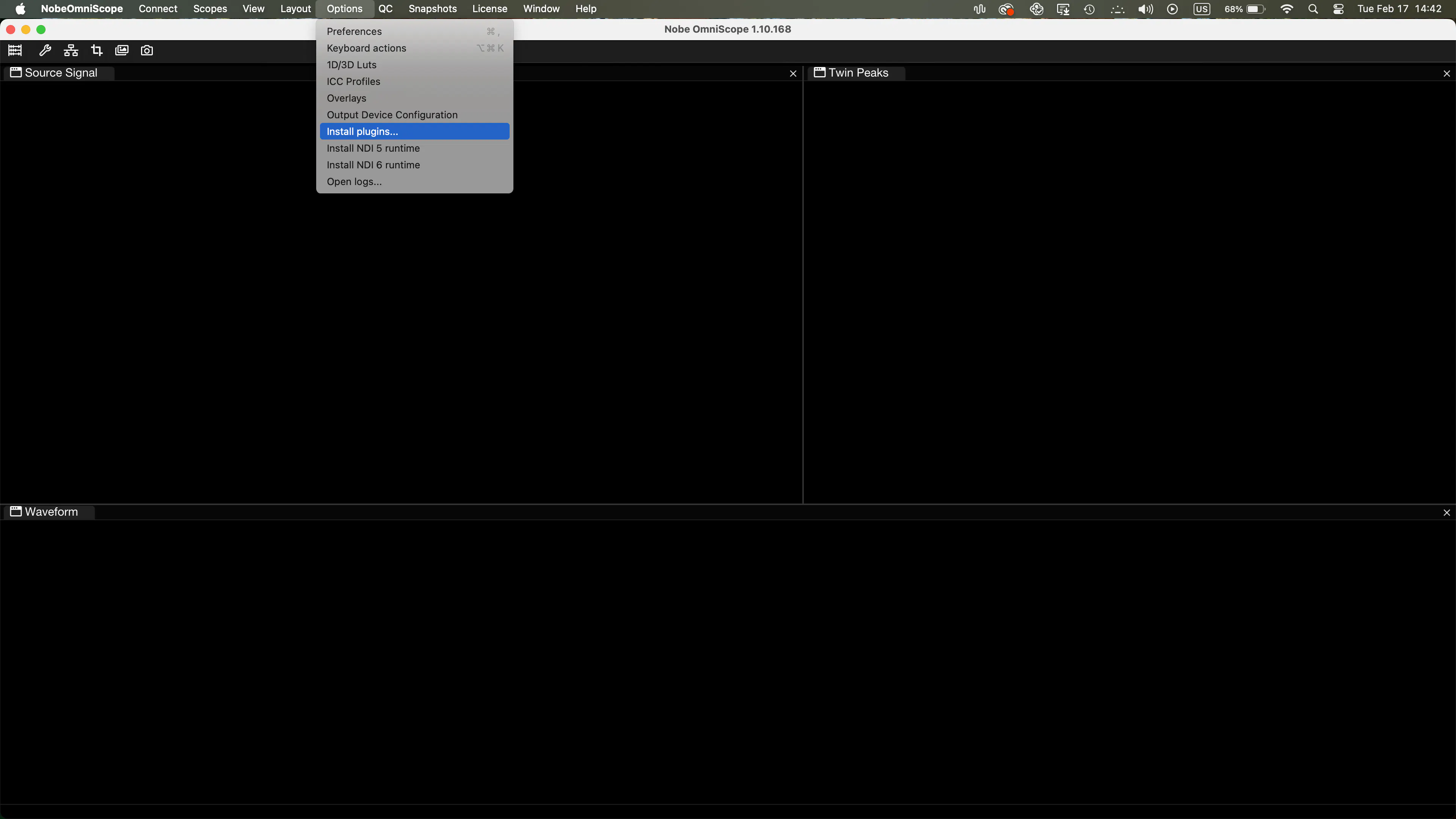
- Add a NobeOmniScope node at the end of your processing chain
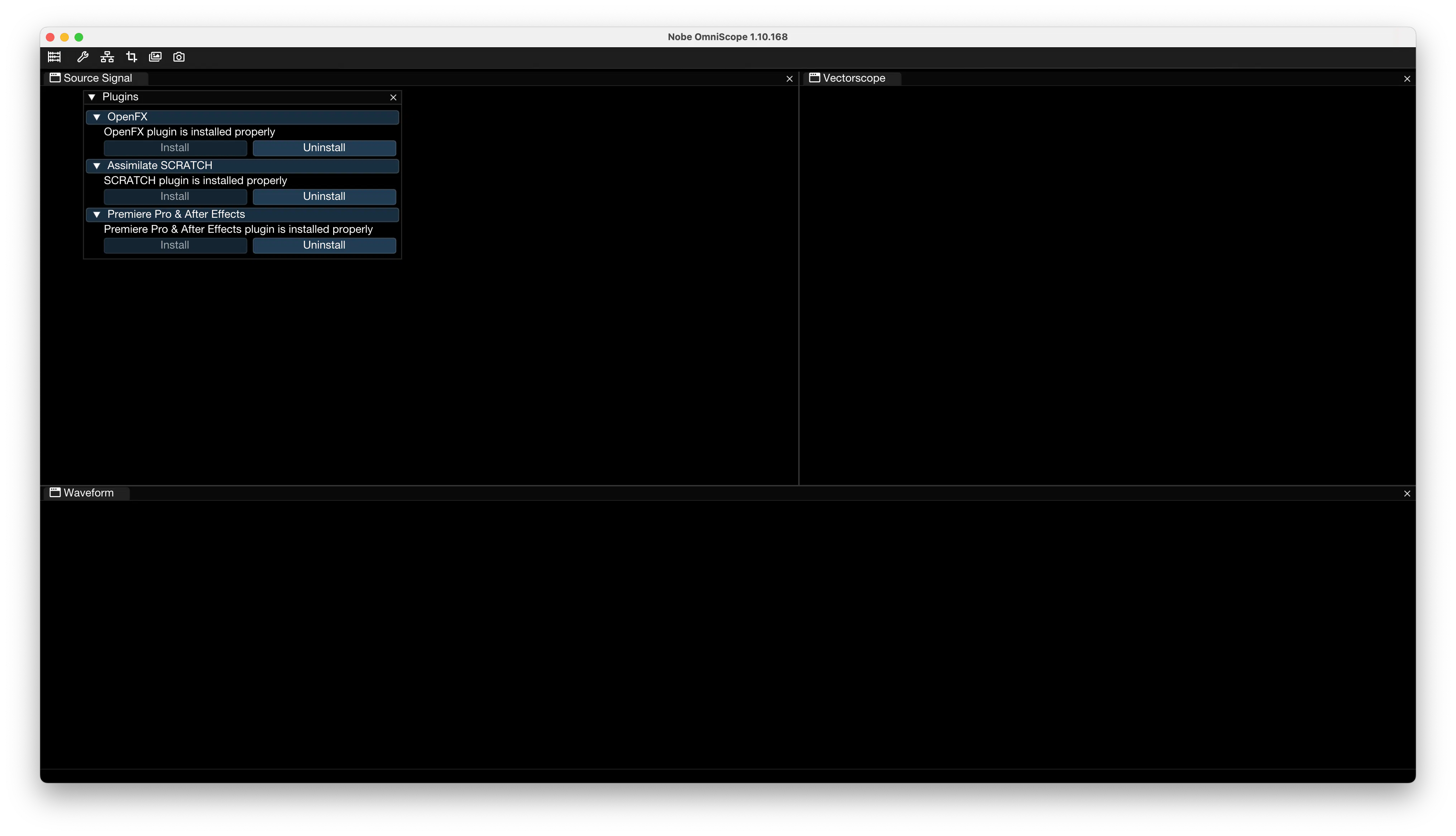
This node does not affect the image. It simply bridges the final processed signal into OmniScope.
From this point forward, you are analyzing the real output of your grade.
Real Film vs Digital: Structural Differences
For comparison we use:
- Arriflex 416
- Kodak Vision3 500T
- Finished on Kodak 2383
- Digital reference: RED Epic
All material was captured under controlled lighting conditions.
Even in identical setups, the signal behaves differently.
Film produces a non-uniform color density due to chemical interaction between emulsion layers. Digital sensors generate more geometrically consistent and uniform structures in color space.
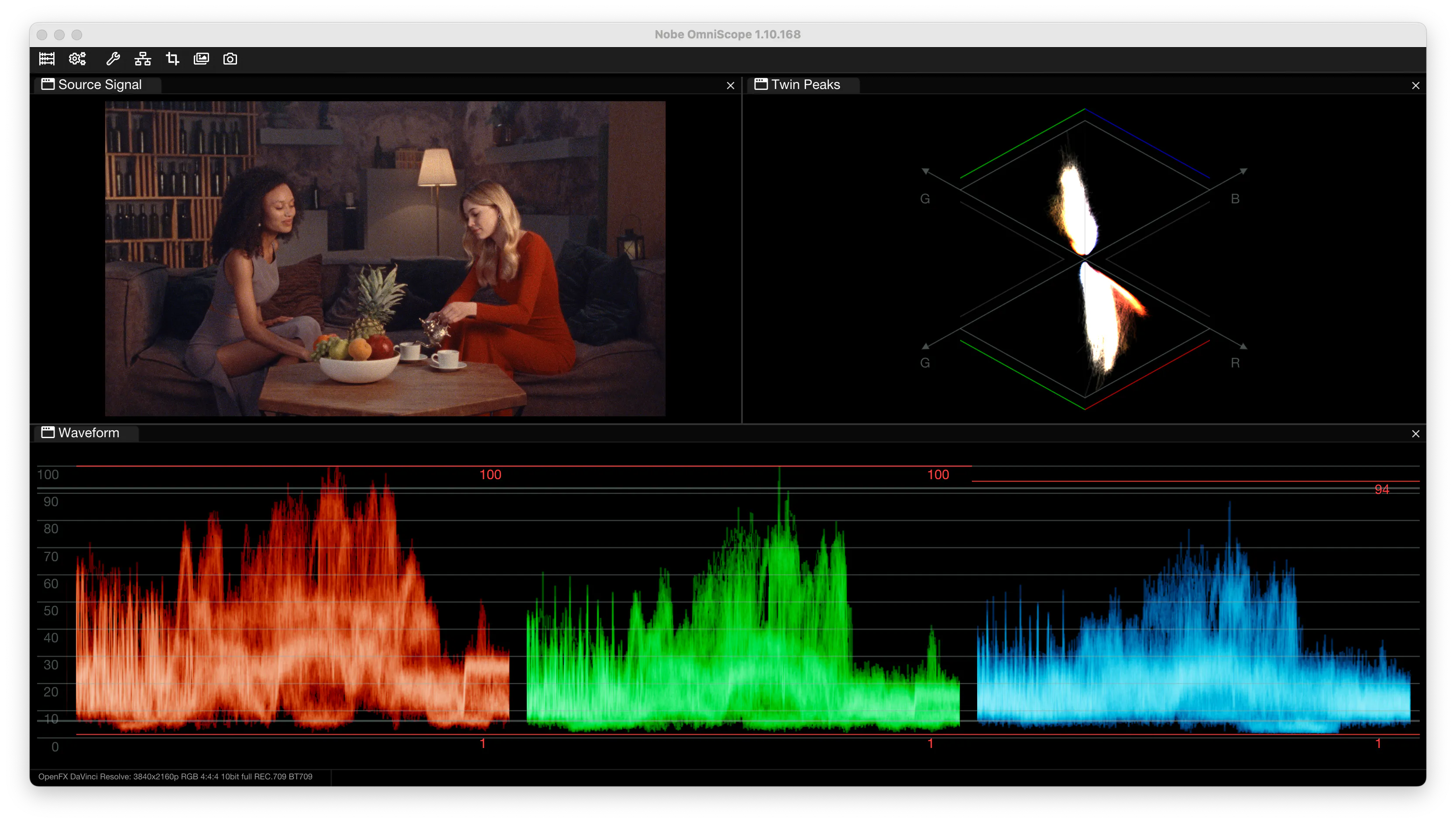
Arri with 500T
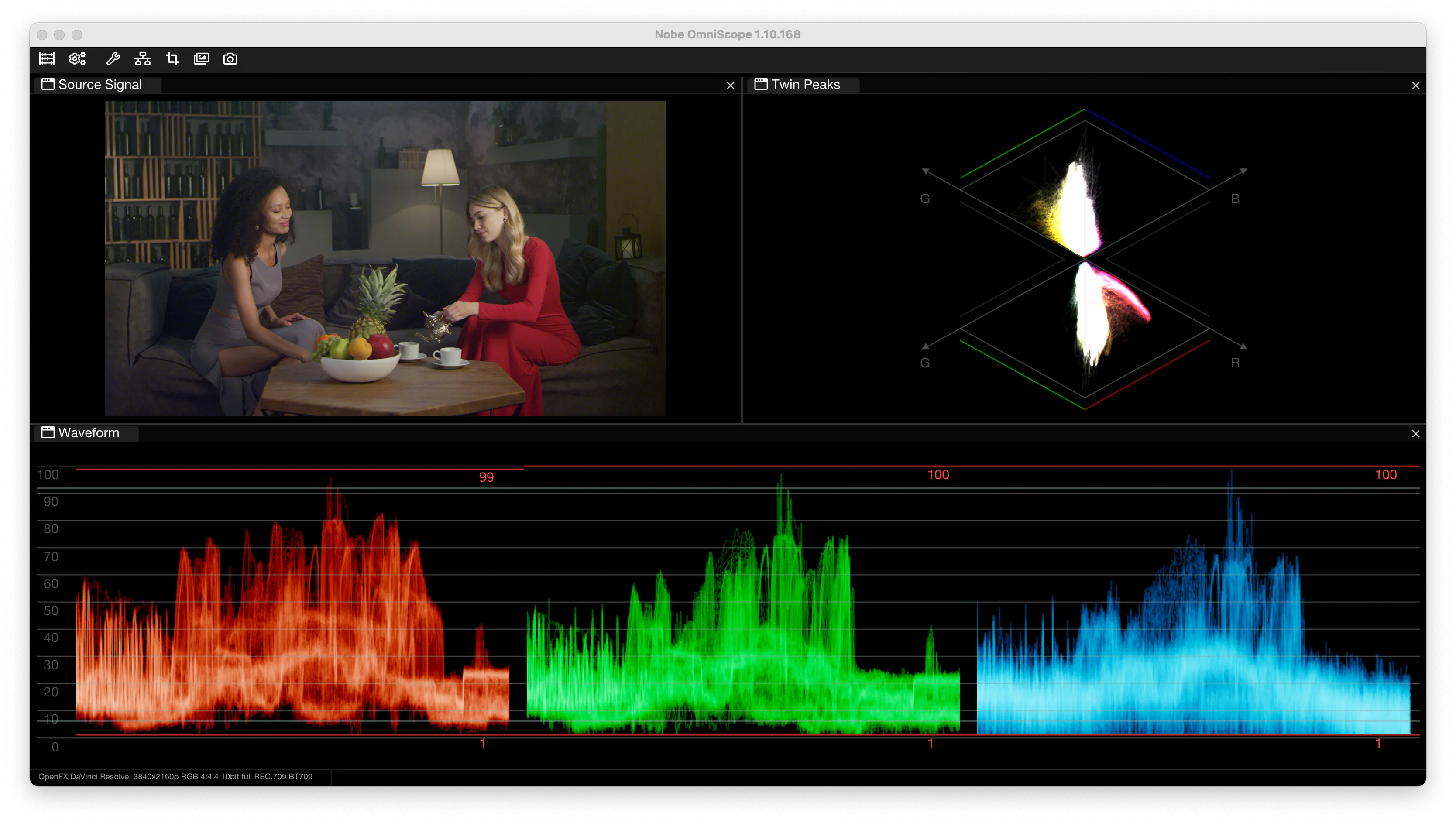
Red Epic Rec.709
Waveform: Density and Micro-Structure
On the waveform, real film appears denser and slightly diffused. The trace is thicker, with micro-variations across the tonal range. This density reflects the grain-based structure of analog film and the non-linear nature of photochemical response.
Digital footage produces cleaner, thinner traces with more clearly defined peaks.
With high-end cinema cameras the difference can be subtle, and careful zooming into the waveform helps reveal the structural nuances.
Twin Peaks: RGB Geometry
Twin Peaks visualizes the relative distribution of red, green, and blue channels.
The native digital signal shows a broader RGB spread as the sensor captures maximum information.
The 500T film trace forms a more characteristic geometry shaped by the spectral properties of its emulsion layers. Because film layers respond non-linearly to light and color, the resulting channel structure forms a recognizable signature.
Film does not simply shift color. It reshapes channel interaction.
Dehancer Film Emulation: Behavioral Transformation
Applying the Kodak 500T profile and Kodak 2383 print inside Dehancer to the RED Epic footage reshapes the signal in measurable ways.
On the waveform, the trace becomes denser and more integrated. Highlights develop smoother, rounded shoulders. Micro-variations increase across tonal transitions, reflecting modeled film compression.
On Twin Peaks, RGB geometry shifts closer to the structure observed in real 500T material.
These frames are separate takes under identical lighting. The similarity lies not in pixel matching, but in signal behavior.
This demonstrates how Dehancer transforms linear digital data into a signal that behaves in a film-like way.
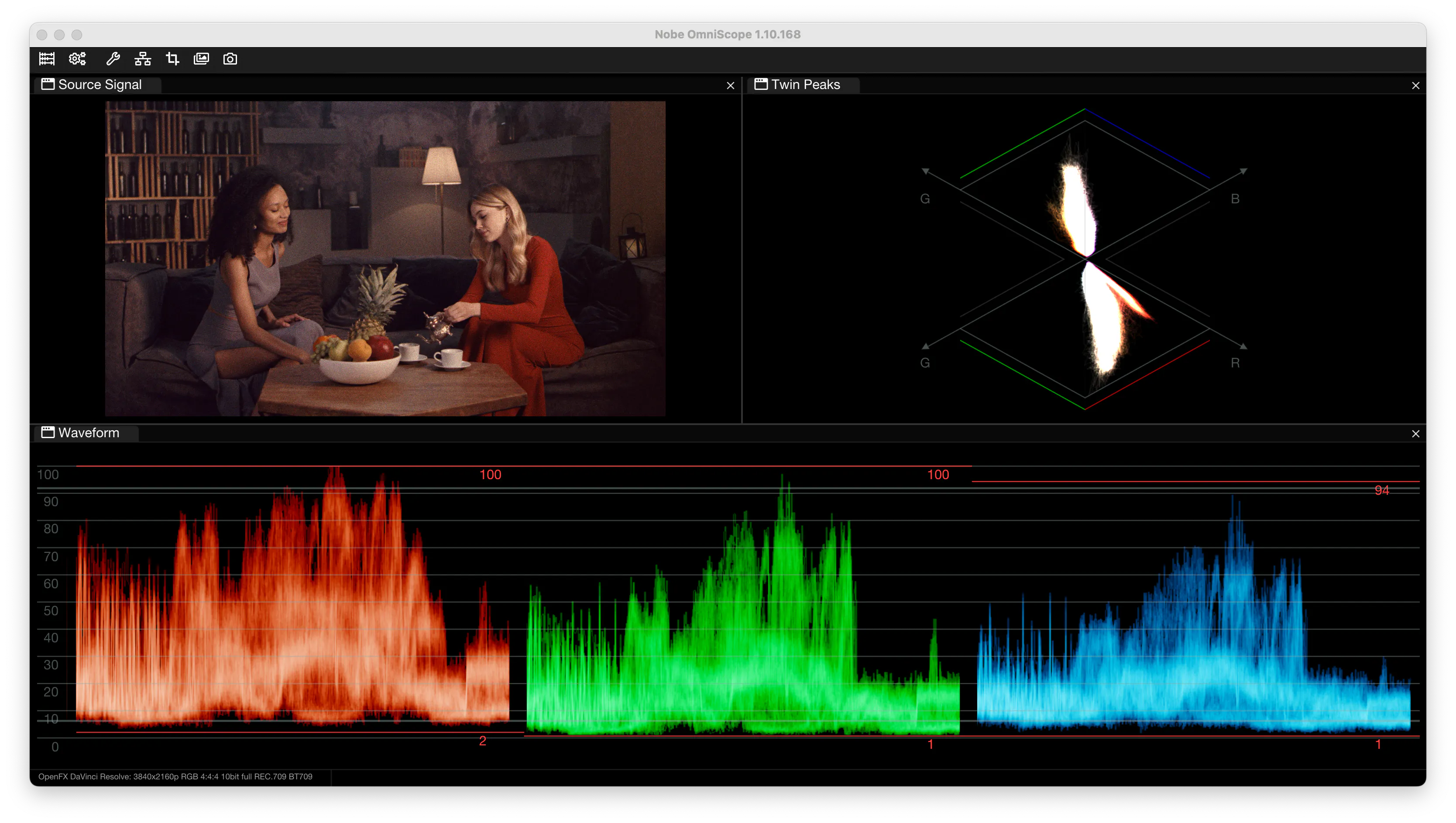
Red Epic graded with Dehancer (Kodak 500T film + Kodak 2383 print film)
Screen Capture: Analyzing Photoshop Plugin
OmniScope also offers Screen Capture functionality, allowing analysis of virtually any image source.
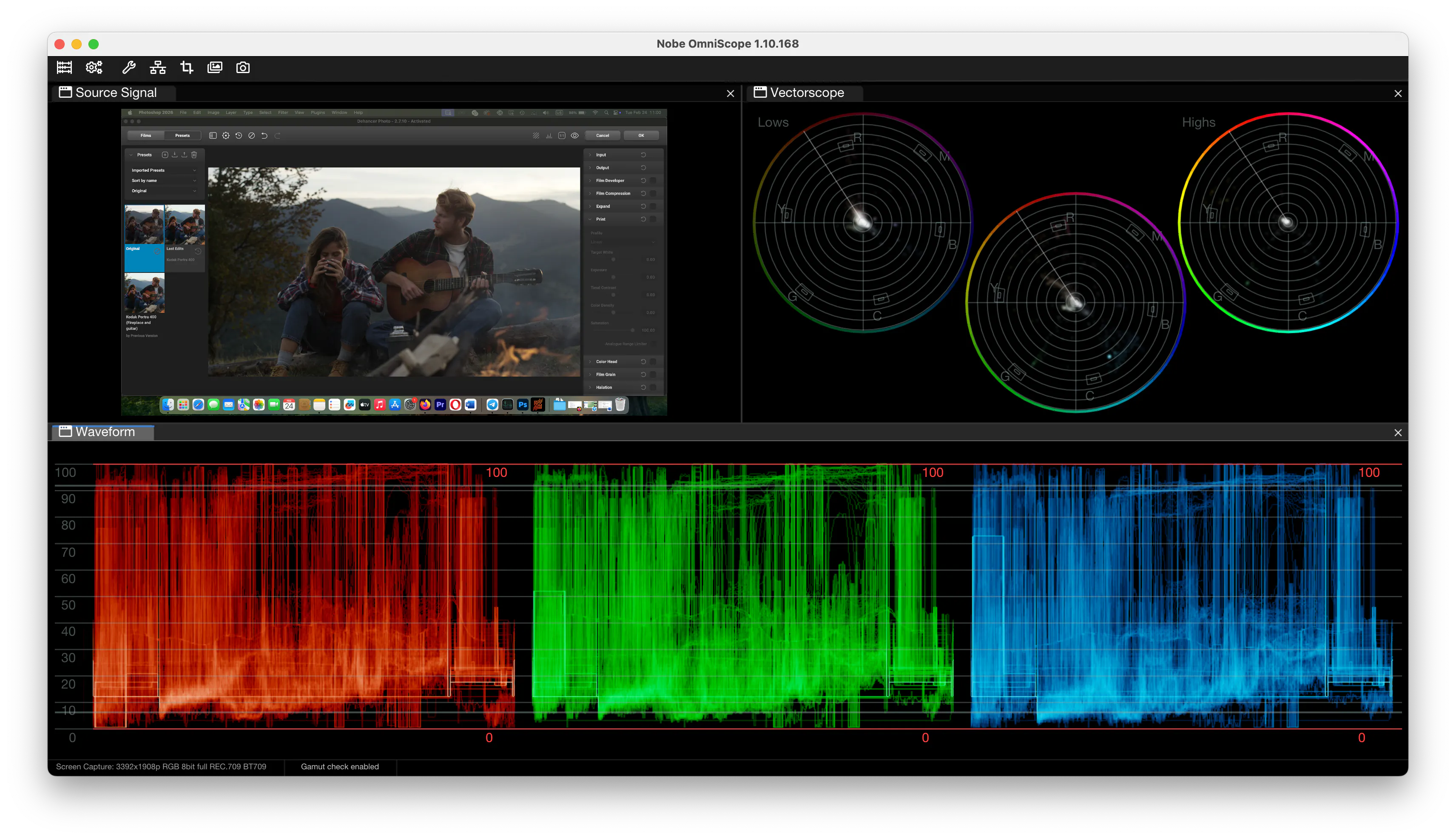
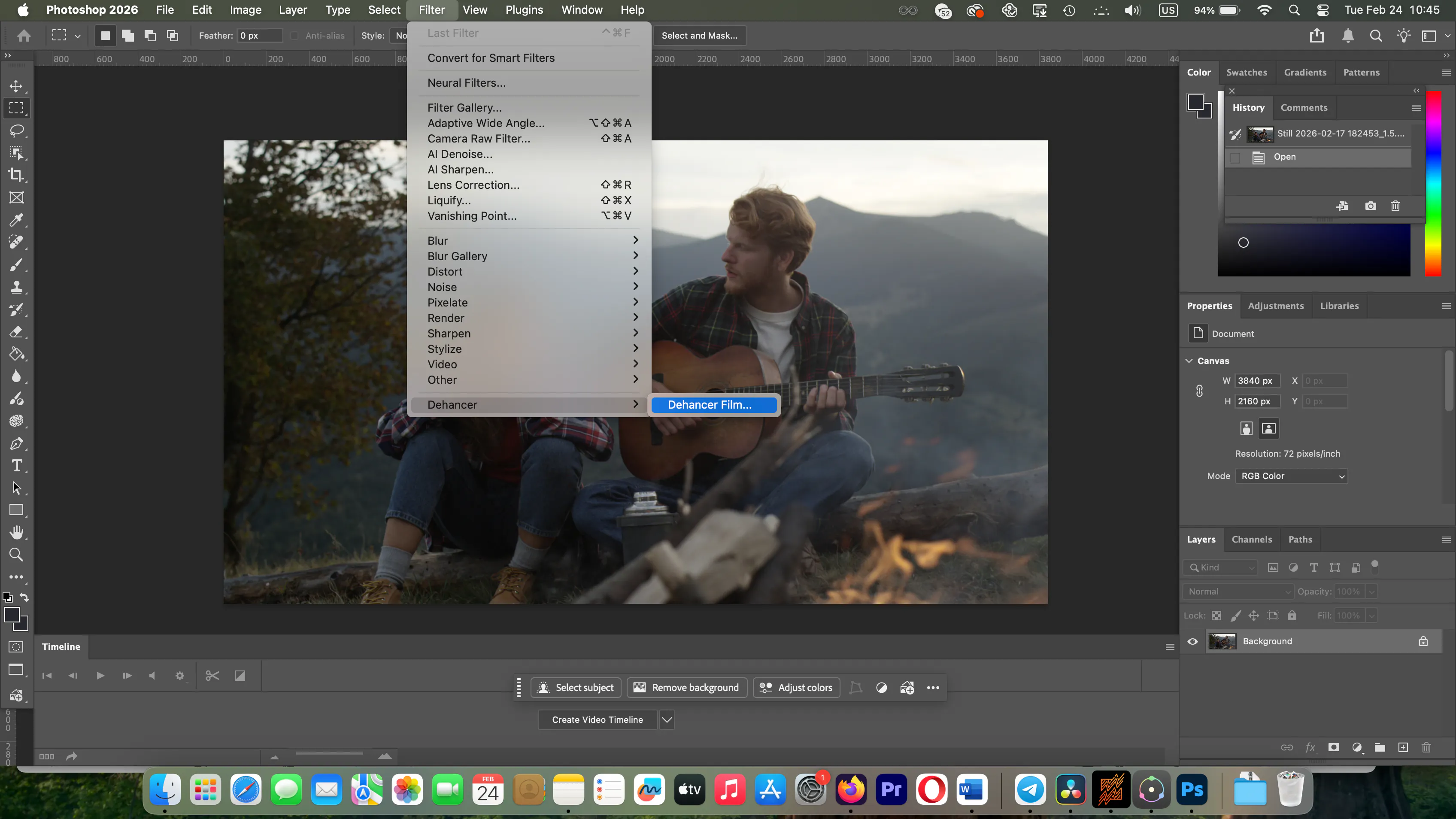
For example, when working with the Dehancer plugin inside Adobe Photoshop, OmniScope can analyze the processed image even though Photoshop itself is not a traditional video grading host.
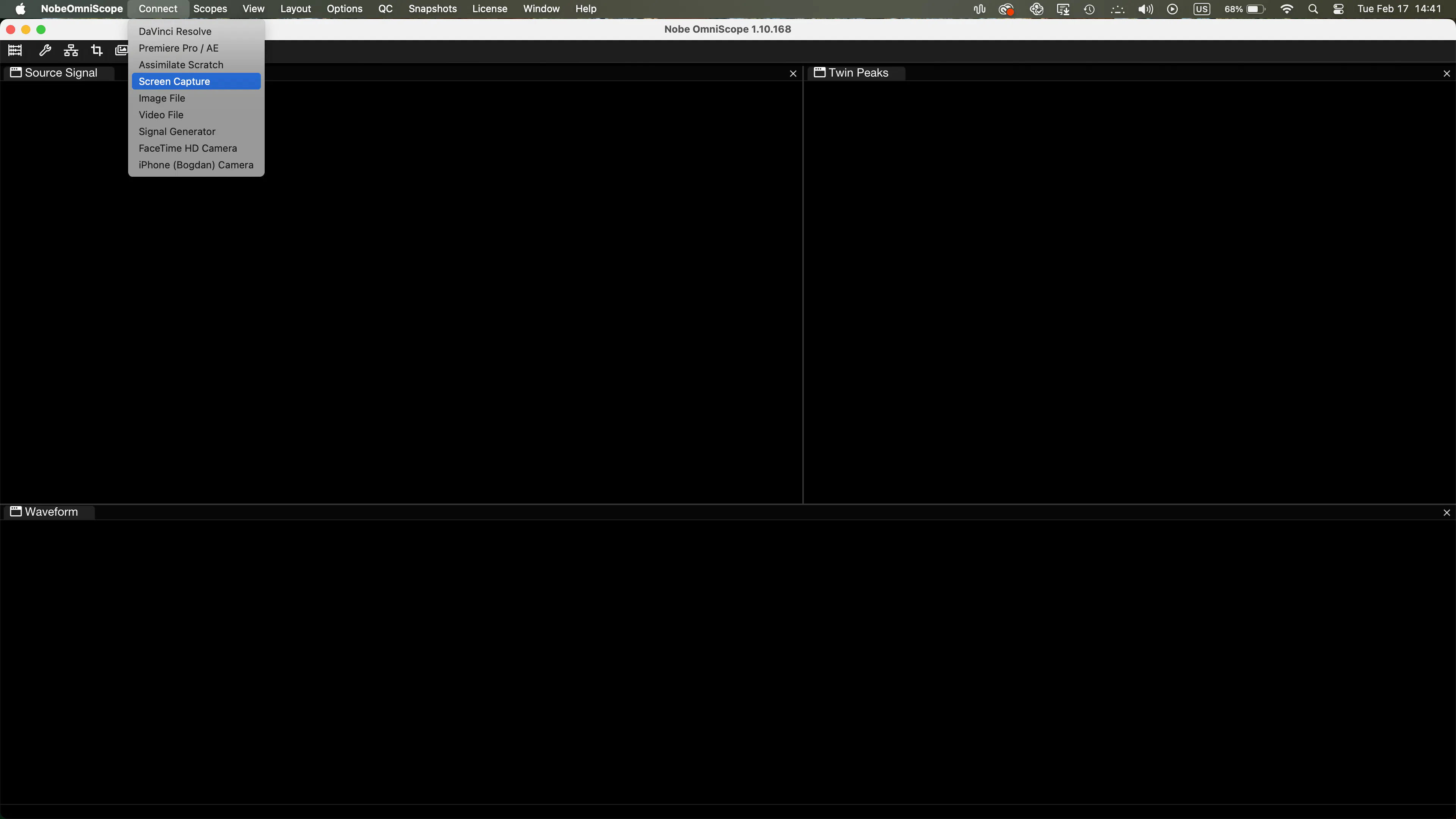
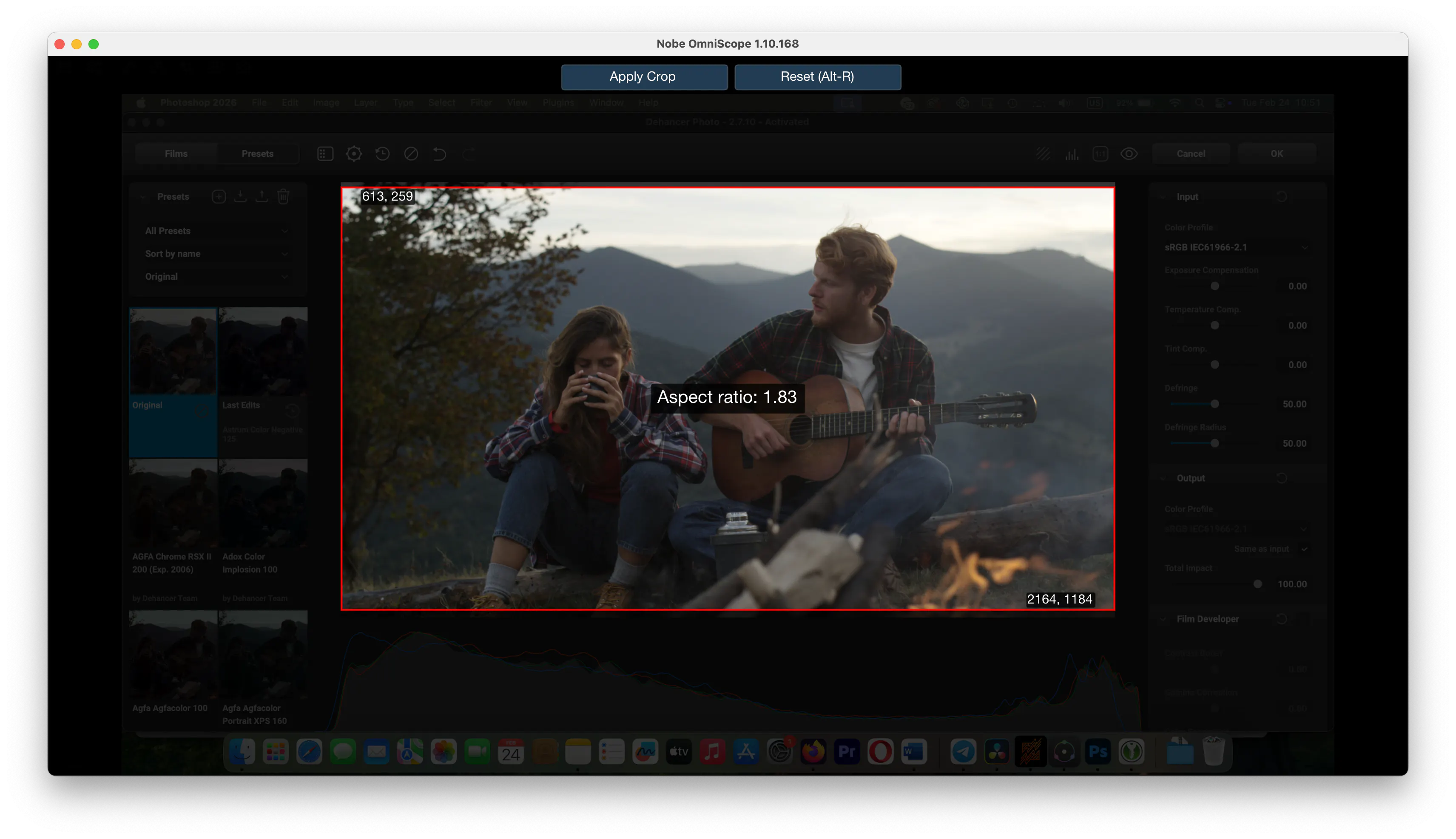
Using a dual-monitor setup, OmniScope runs on one screen while Photoshop runs on another. Through Connect → Screen Capture, the image area can be isolated with the Crop tool, ensuring that only pure pixel data is measured.
This makes OmniScope a versatile analysis tool across different creative environments — from motion workflows to still photography.
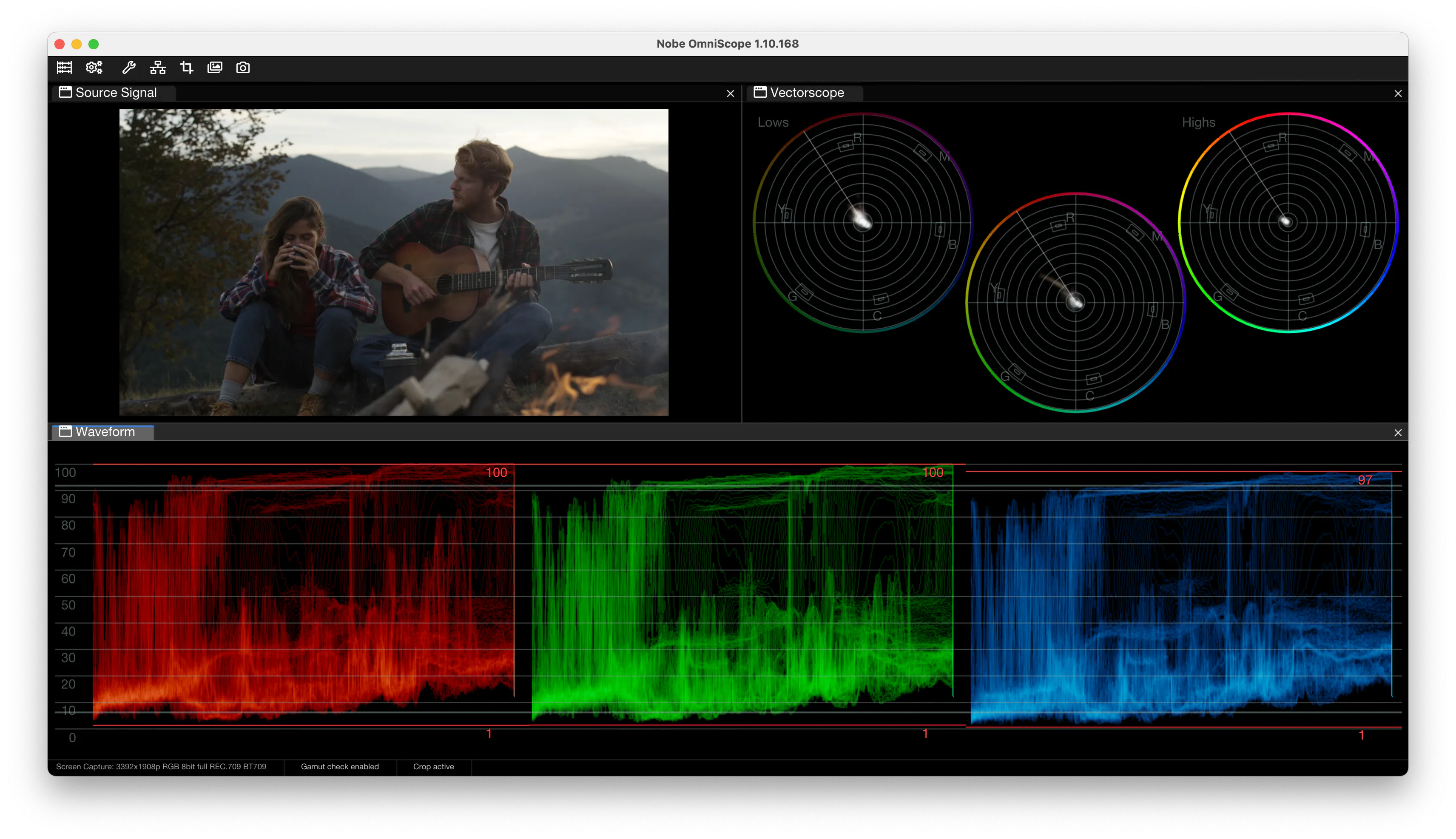
Example: Portra 400 Signal Analysis
Kodak Portra 400
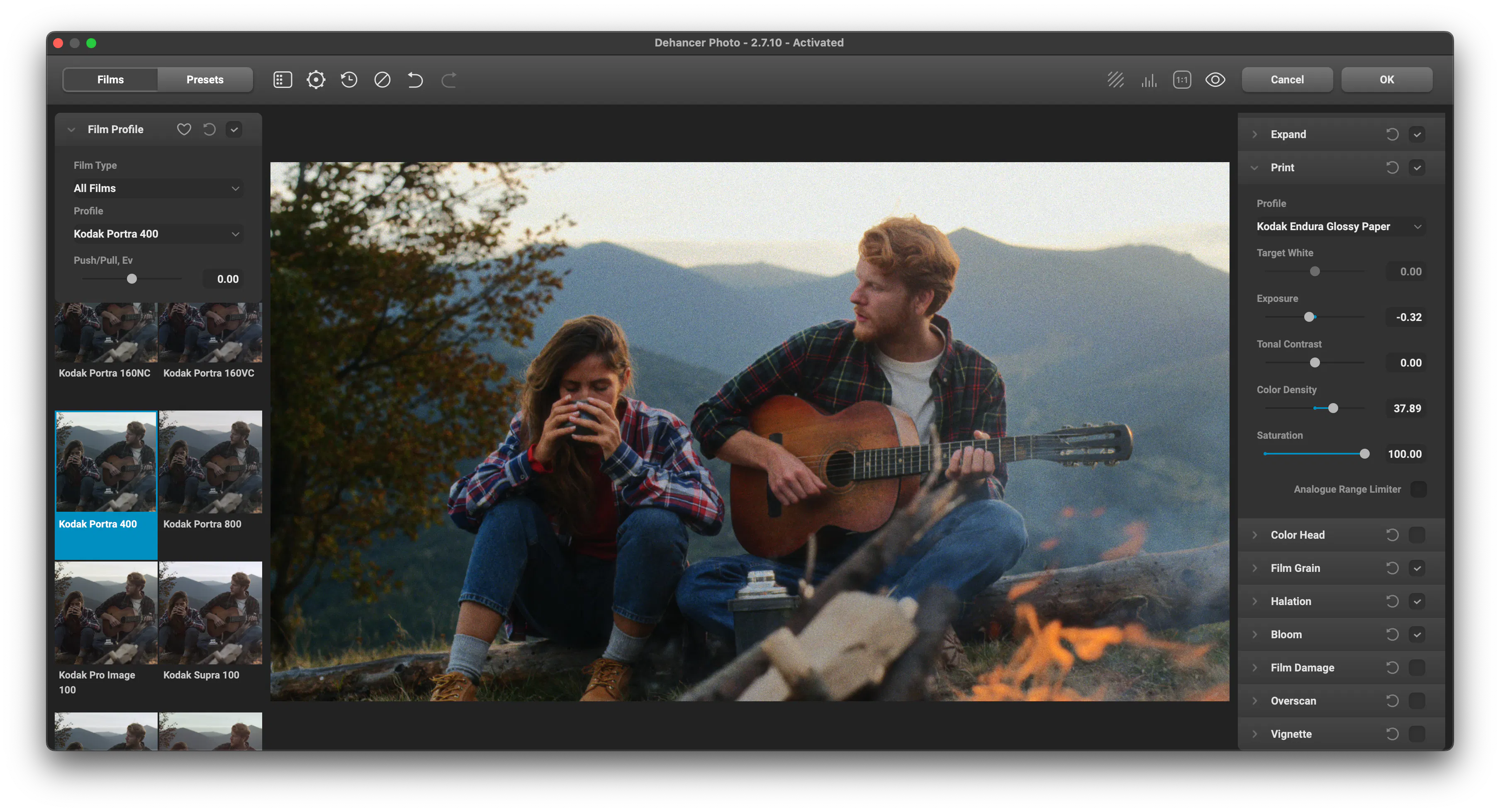
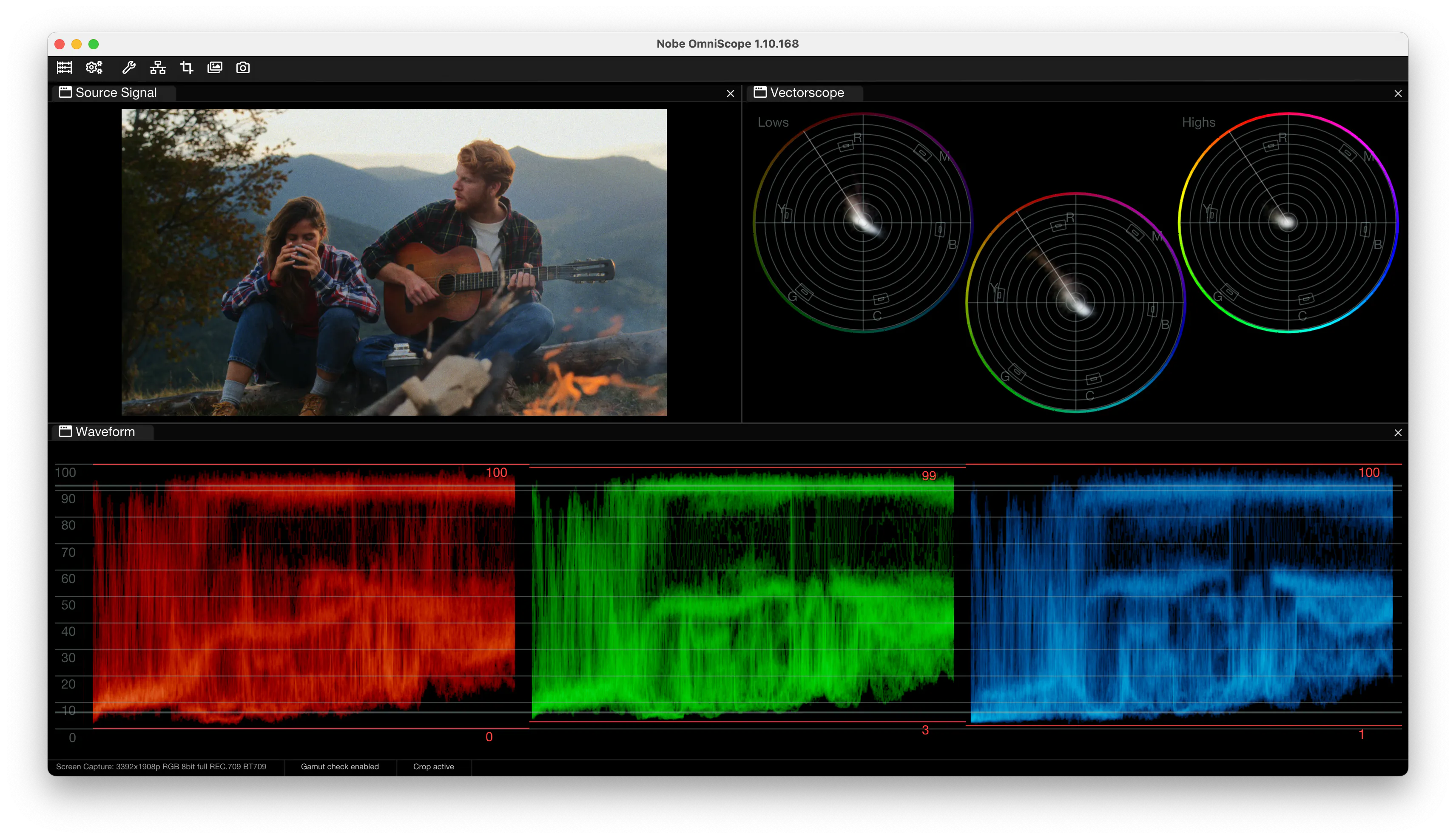
Starting from a low-contrast digital image, applying the Portra 400 profile in Dehancer reshapes tonal distribution and channel interaction.
The waveform becomes thicker and more cohesive. Highlights compress smoothly without harsh clipping. Tonal transitions appear more continuous. RGB distribution becomes more structured and film-like.
Grain contributes to this transformation as a structural element rather than a superficial overlay. In analog film, the image is fundamentally built from grain. Dehancer models this interaction mathematically, and the effect is visible in signal density and channel behavior.
Conclusion
Dehancer provides a physically modeled approach to film emulation.
OmniScope provides a precise way to observe and study the resulting signal.
Together they create a workflow where creative intent and technical analysis support each other.
The combination allows filmmakers and photographers to both shape the aesthetic and clearly understand how the signal evolves through the process.
This partnership between emulation and measurement makes the film look not only expressive — but measurable and reproducible.